

CS Digital Queue
AvailableQueues without a ticket machine.
Visitors scan a QR and their queue number appears on their phone. They wait wherever they like, get a WhatsApp message when their turn is close, and check in with one scan at the gate.
- No app to install
- No hardware to buy
- Works when the internet drops
For your visitors
Three steps, all on their own phone
Nothing to download and no account to create. The camera app is enough.
-
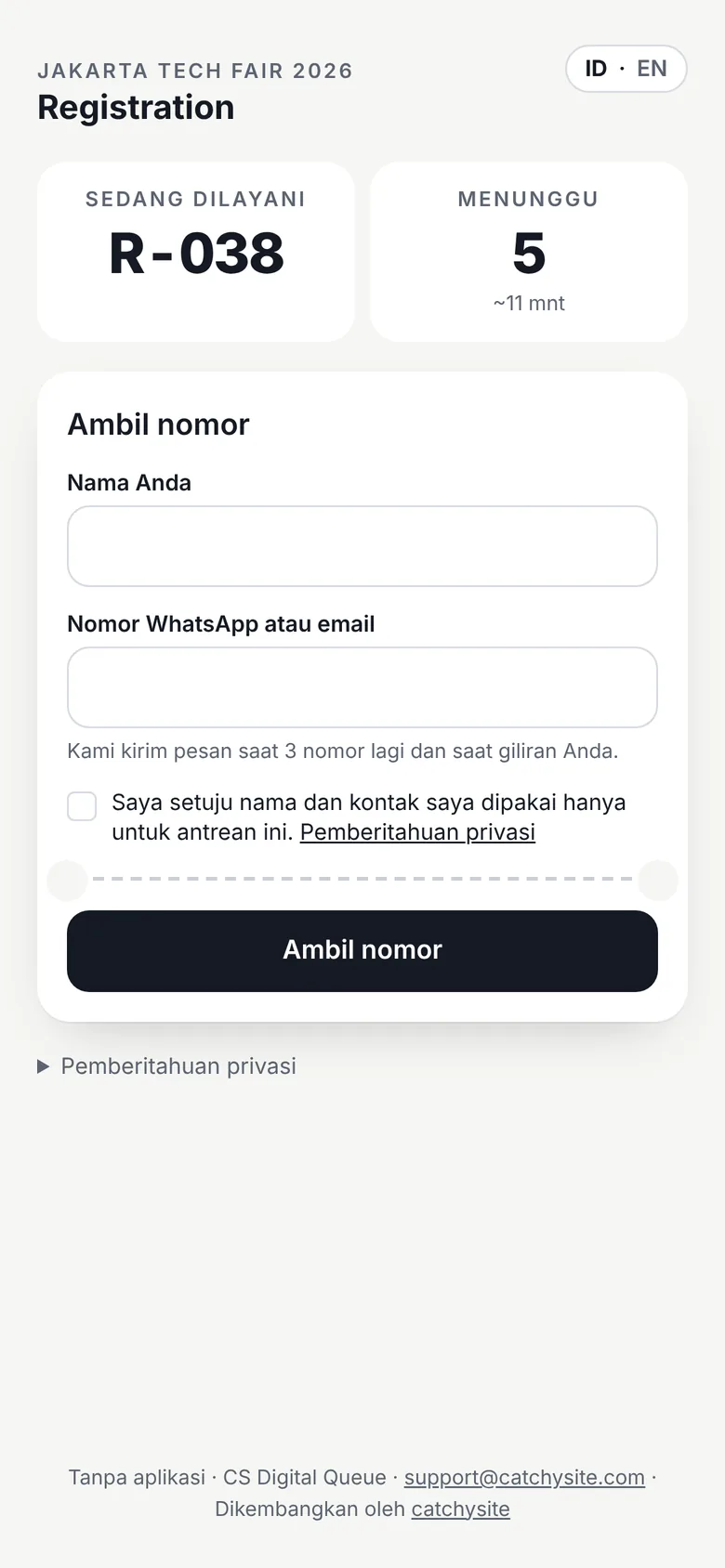
Scan and enter a name
The QR on your poster opens the queue in the browser. Name and WhatsApp number, one tap, done.
-
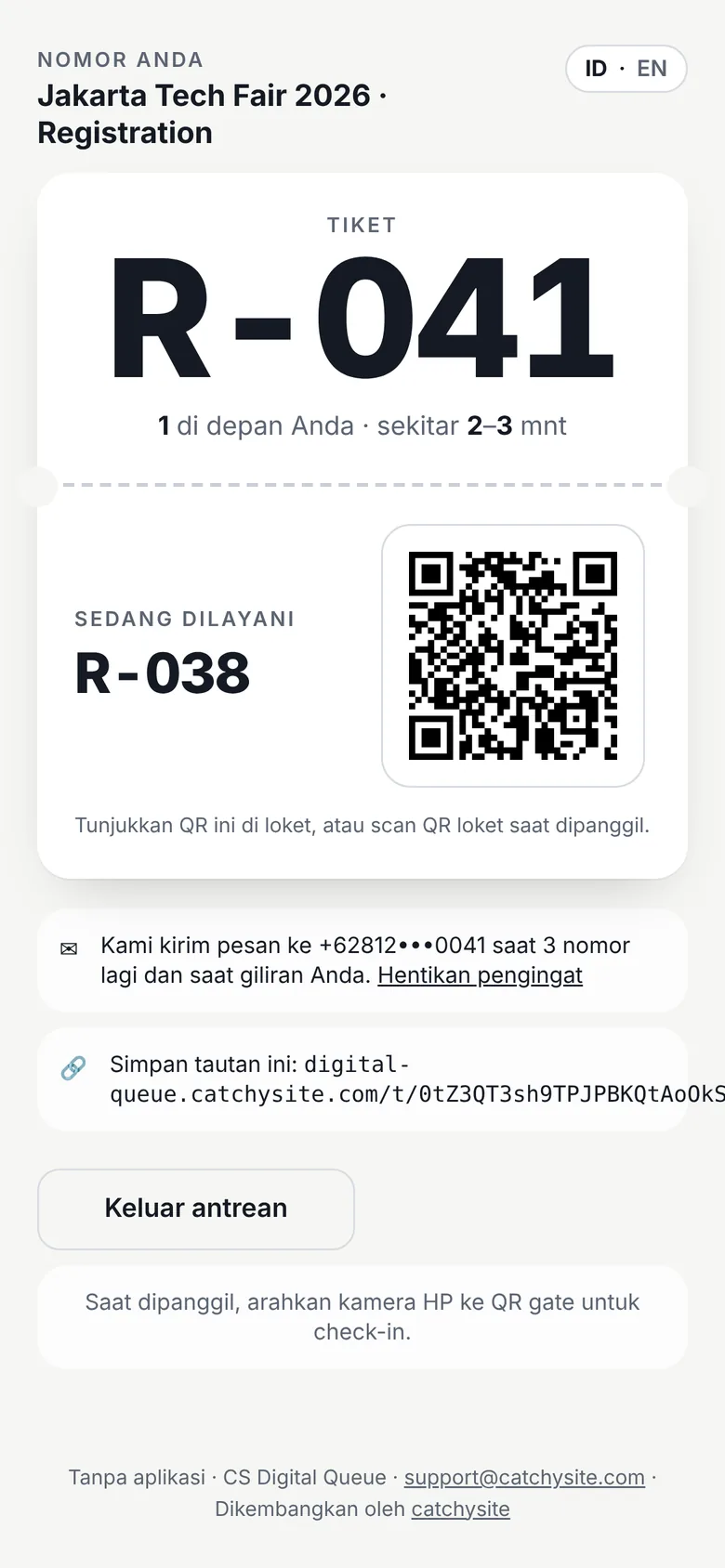
Wait anywhere
The number and the people ahead update live. A WhatsApp message arrives when only a few are left.
-
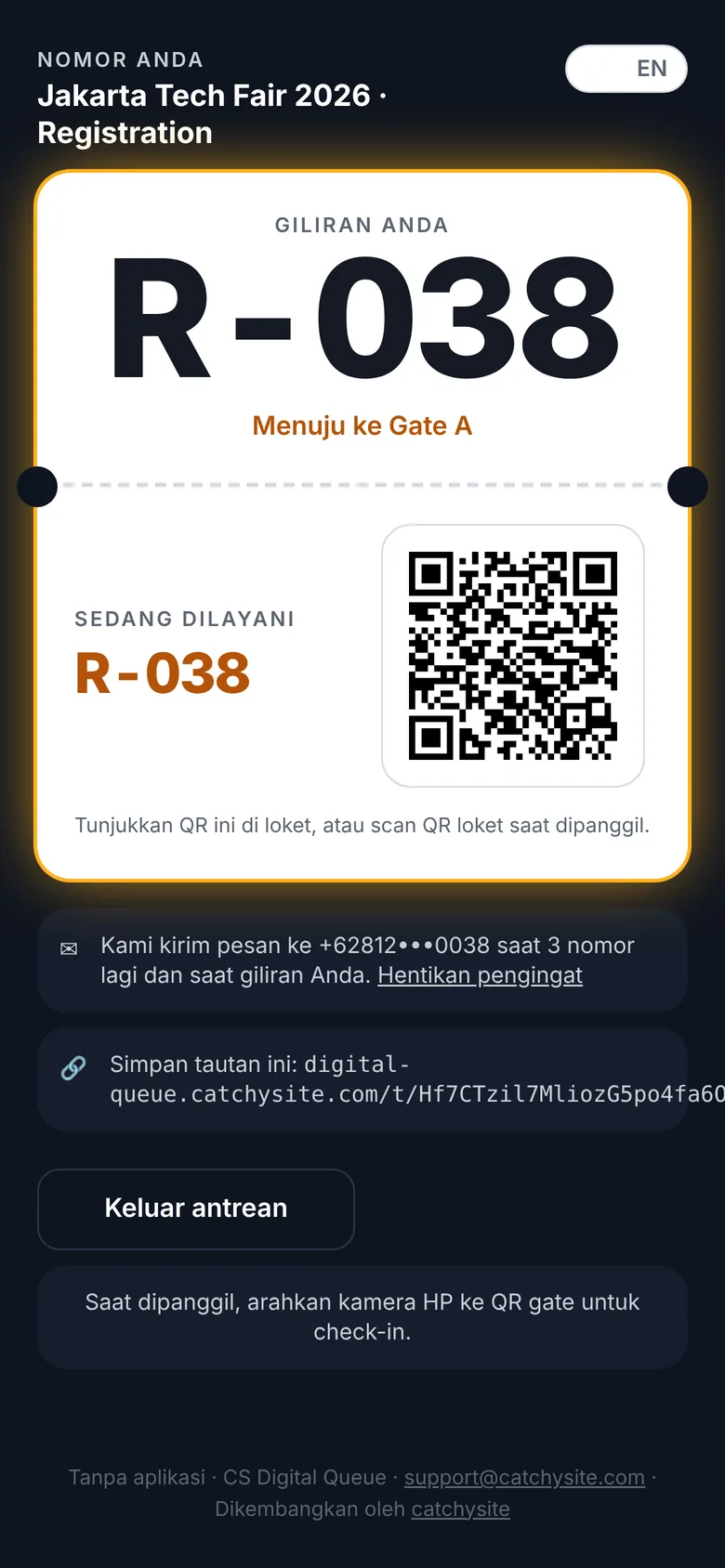
Get called, scan in
The ticket turns amber and names the gate. One scan at the gate checks them in.
For your team
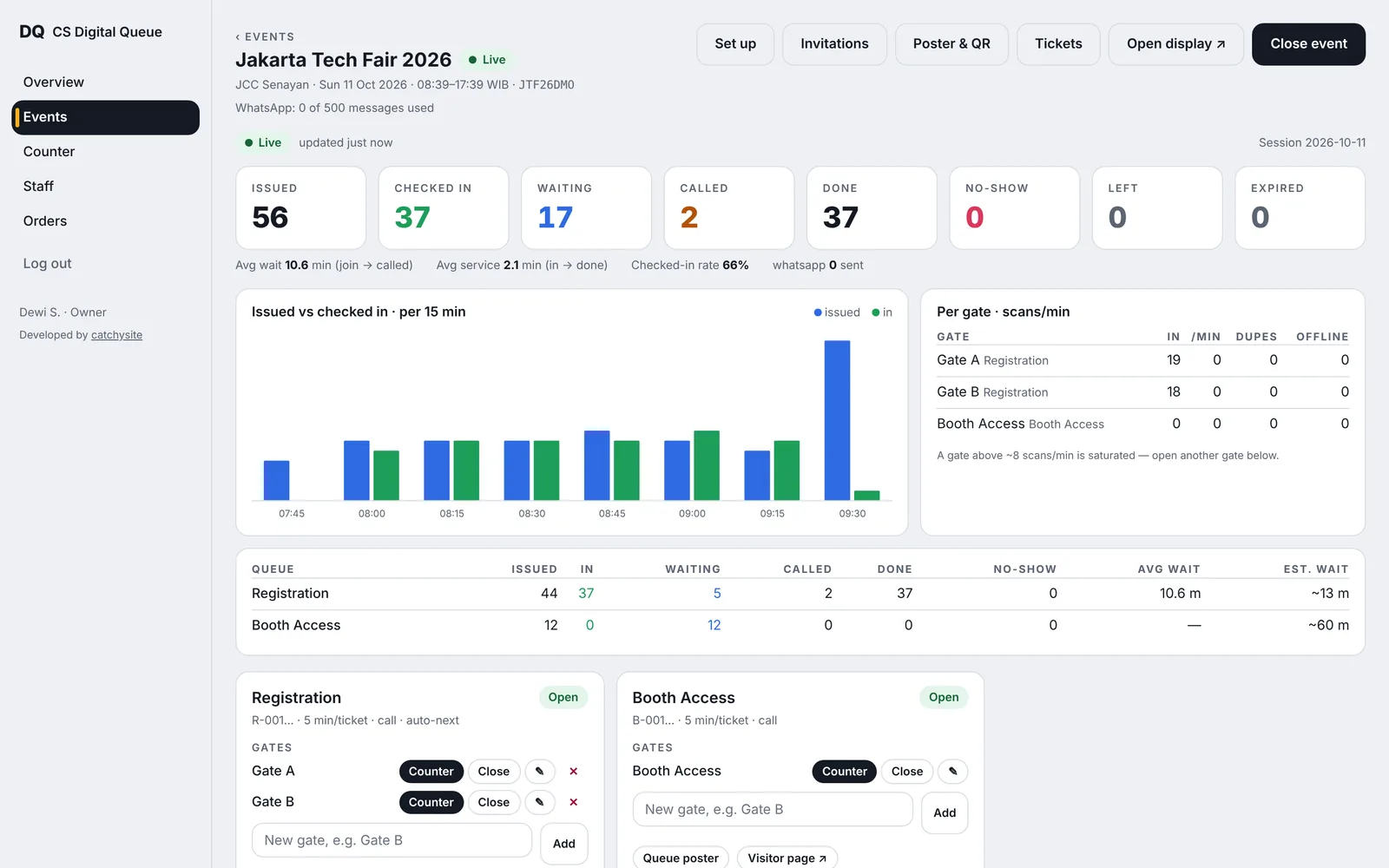
How many came, how many got in — live
Every gate reports as it scans. Open the dashboard on a laptop and see the whole event at once: issued, checked in, waiting, no-shows and average wait.
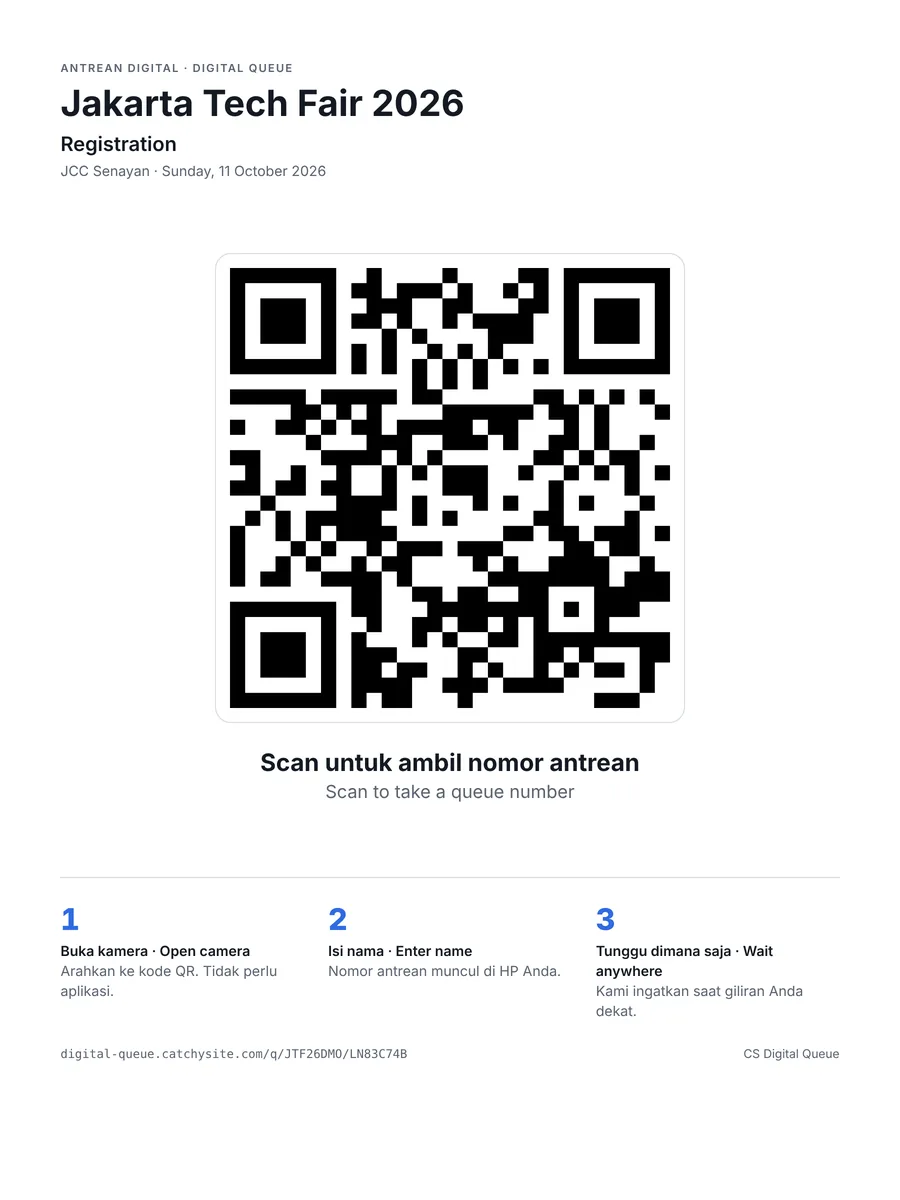
Print the poster
One QR per queue, ready to print in A4 or A3. Put it at the entrance.
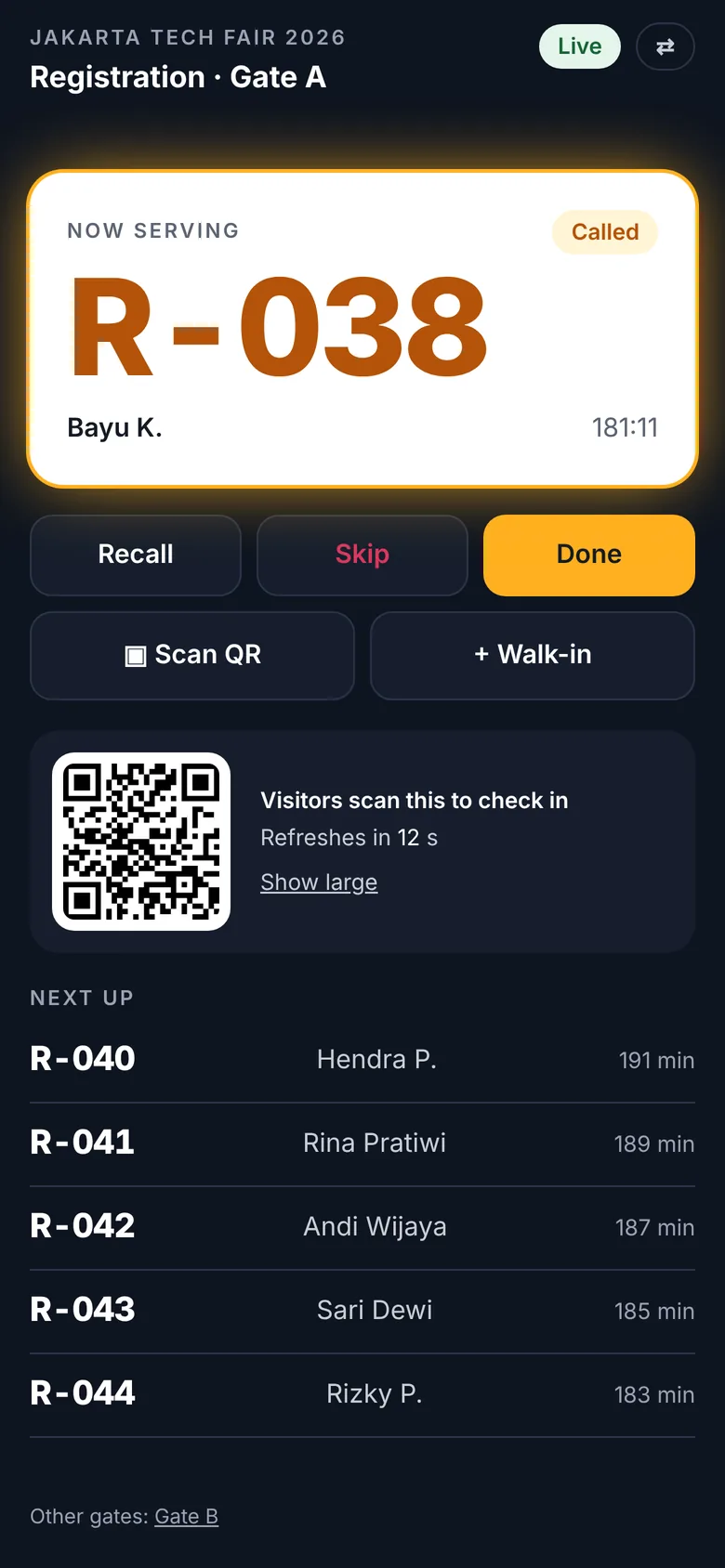
Call from any phone
Staff call the next number, recall, skip or scan a visitor in — on the phone they already carry.
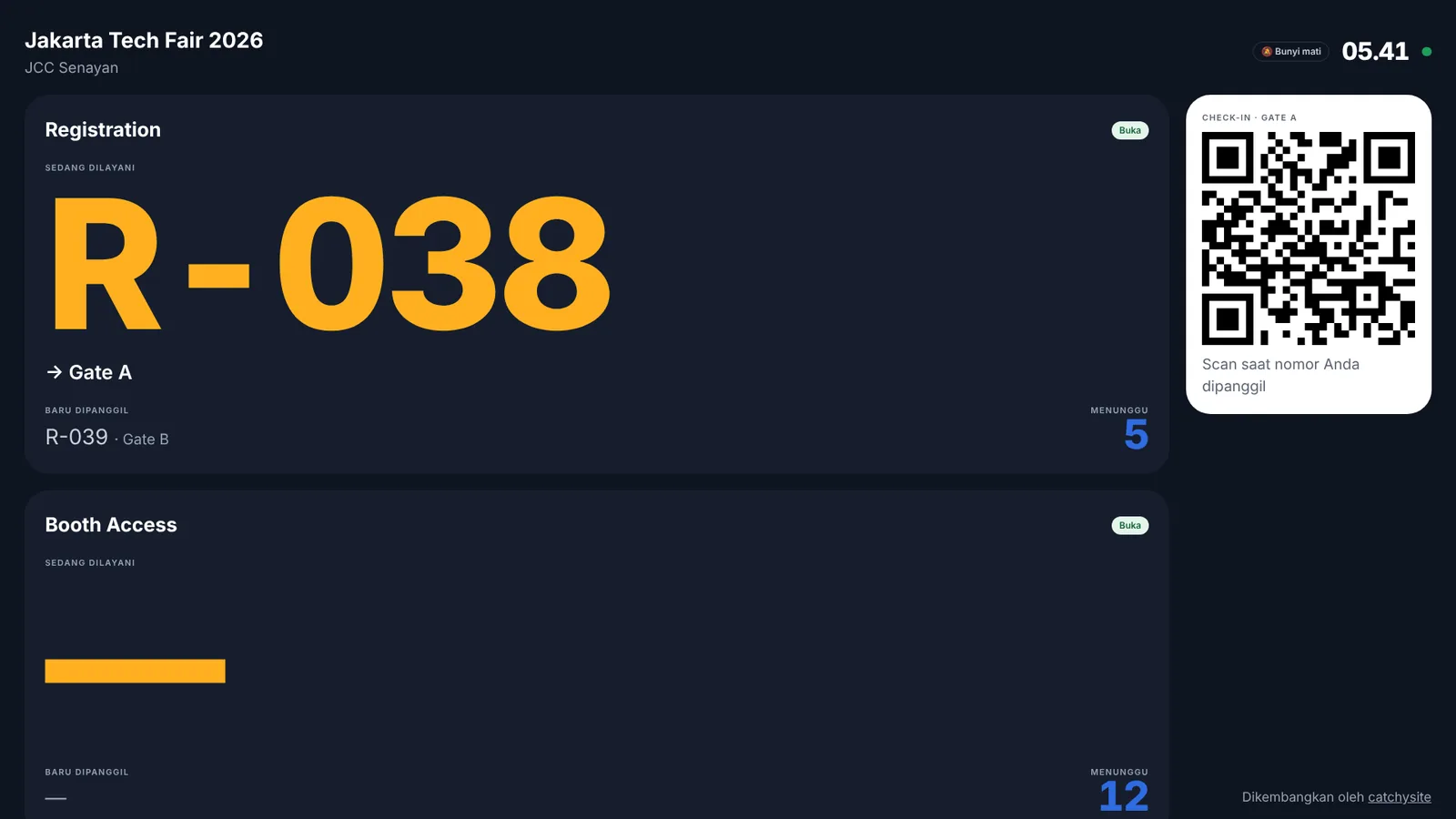
Show it on any TV
Open the display link on a smart TV or laptop. The called number and the gate appear in large type.
What's included
Built for the day itself
Events go wrong in predictable ways: the Wi-Fi drops, a gate gets busy, people wander off. CS Digital Queue is built around those moments.
Used for
- Events & expos
- Seminars & conferences
- Clinics & hospitals
- Banks & service counters
- Campus registration
- Public services
-
Reminders that arrive
WhatsApp, email or push — sent when a few people are left, and again when it is their turn.
-
Live, per gate
Scans per minute, duplicates and no-shows for every gate, so you know where to send staff.
-
Keeps going offline
Gates keep calling and checking in without internet and sync when the connection returns.
-
Invite your guests
Upload a list, send invitations by email or WhatsApp, and let guests reserve a number before doors open.
-
Bahasa & English
Every screen, message and reminder in both languages — visitors pick theirs.
-
Personal data kept short
Visitor contacts are anonymised after the event, in line with UU PDP.
Run your next queue on it
Create an account, set up your event and print the QR. Pay per event, or monthly for counters that open every day.
digital-queue.catchysite.com